#63 | How to Bridge to Nibiru
· 3 min read
Nibiru now offers bridging and cross-chain swapping capabilities between Nibiru and blockchains including Ethereum, Solana, Base, BSC, Bitcoin, and more. This functionality is powered by bridge routing solutions like Swing, Squid Router, and Houdini.
What is Bridging?
Bridging is the process of transferring assets (tokens) or data from one blockchain to another. This is crucial for enabling interoperability between different blockchains. Since blockchains natively cannot communicate with one another, bridging allows them to exchange information and assets while still operating independently.
Nibiru Bridge Routing Options
To keep the complexity of cross-chain swaps and bridging to a minimum, Nibiru integrates several bridge routing options, such as Swing, Squid, and Houdini. Under the hood, these bridge routers make use of existing bridge infrastructure (e.g. Axelar, Wormhole, IBC) in combination with decentralized exchanges like Osmosis.
We will walk through how to bridge and swap assets using Swing via the Nibiru Web App.
How Do I Bridge Tokens to Nibiru using Swing?
-
Visit the Nibiru Web App or the Squid Router Application. The rest of this guide uses the Swing inside the Nibiru App, but the steps for Squid are similar.
-
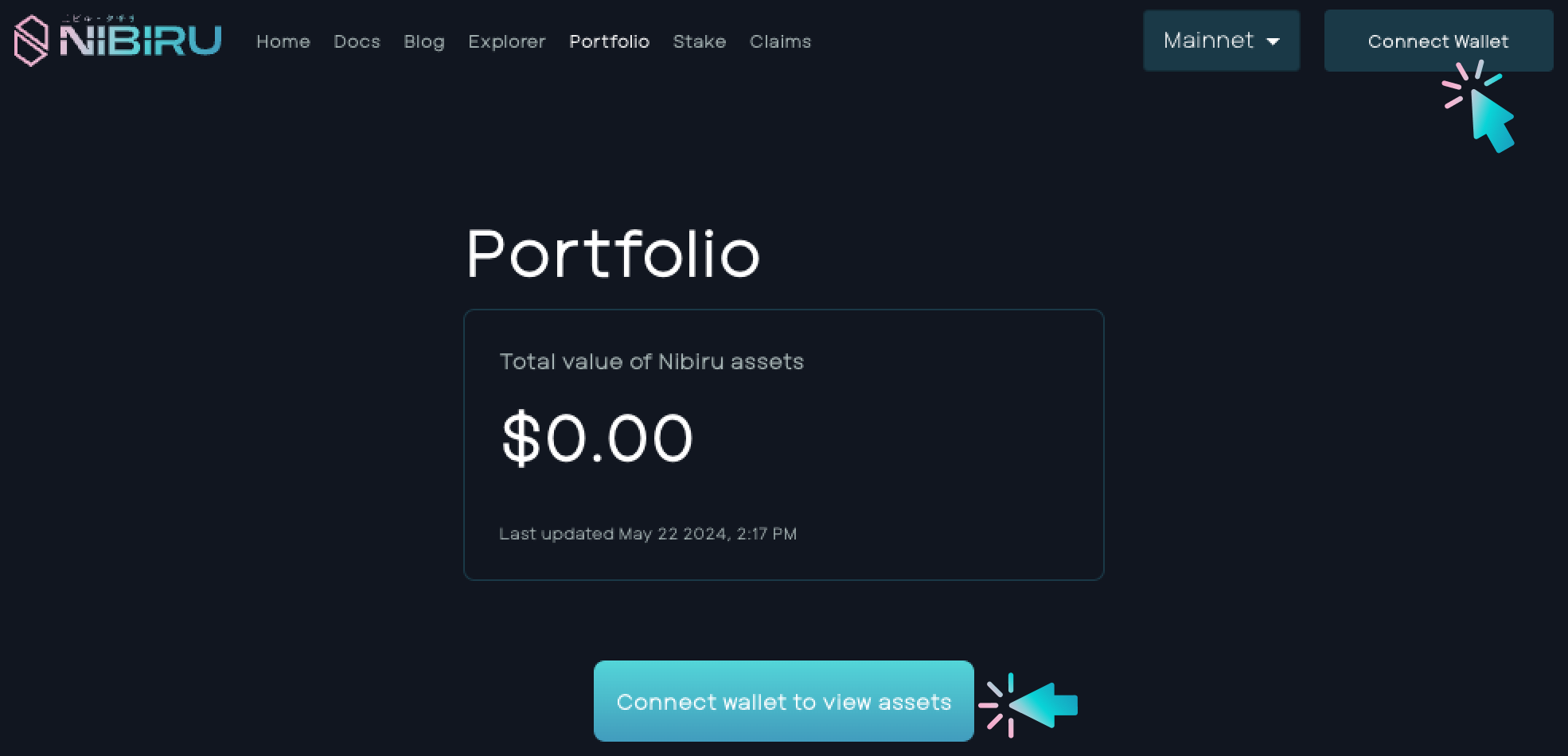
Connect your wallet. Click Connect Wallet or Connect Wallet to View Assets.
-
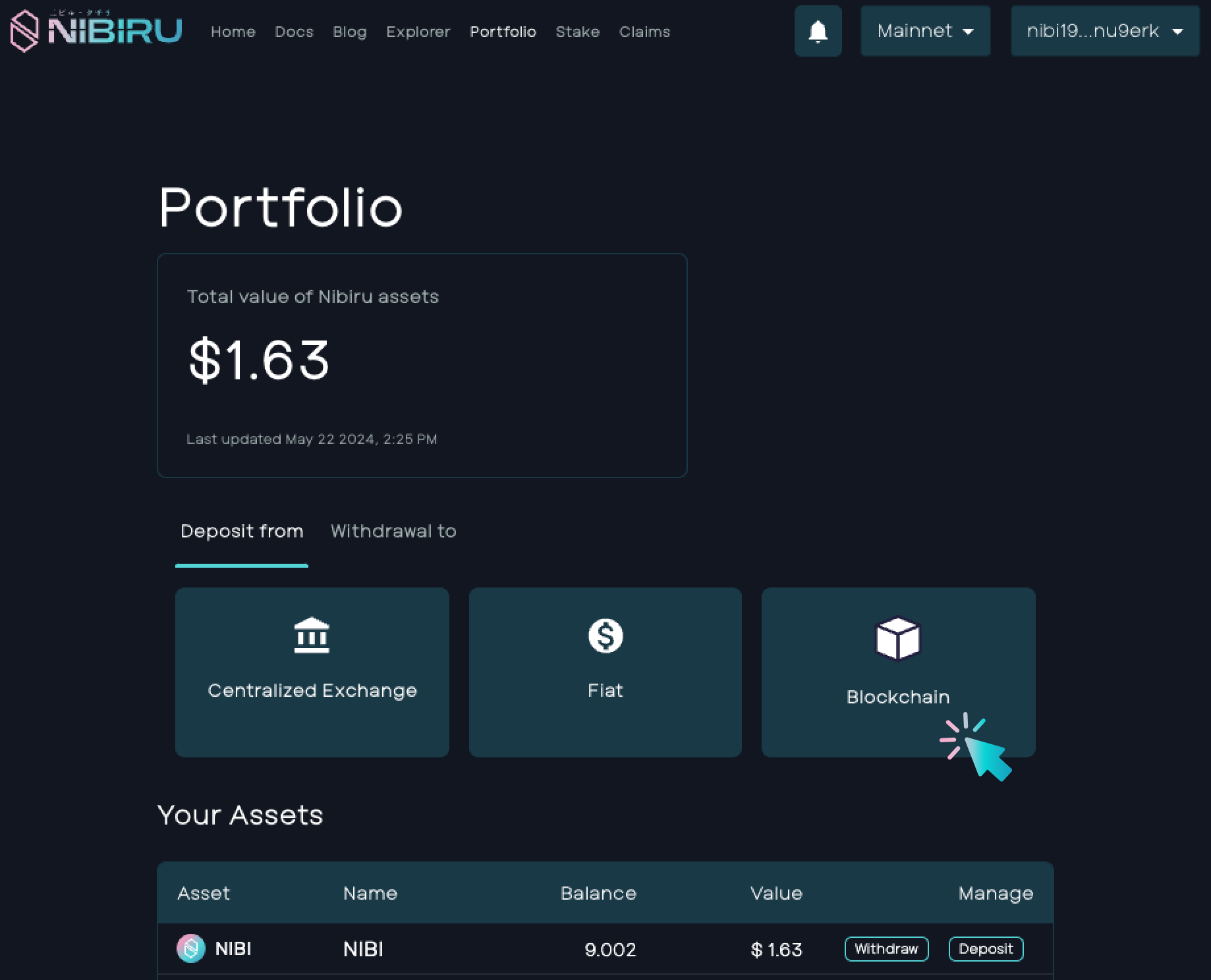
You’ll be directed to the Portfolio page. Click on Blockchain.
-
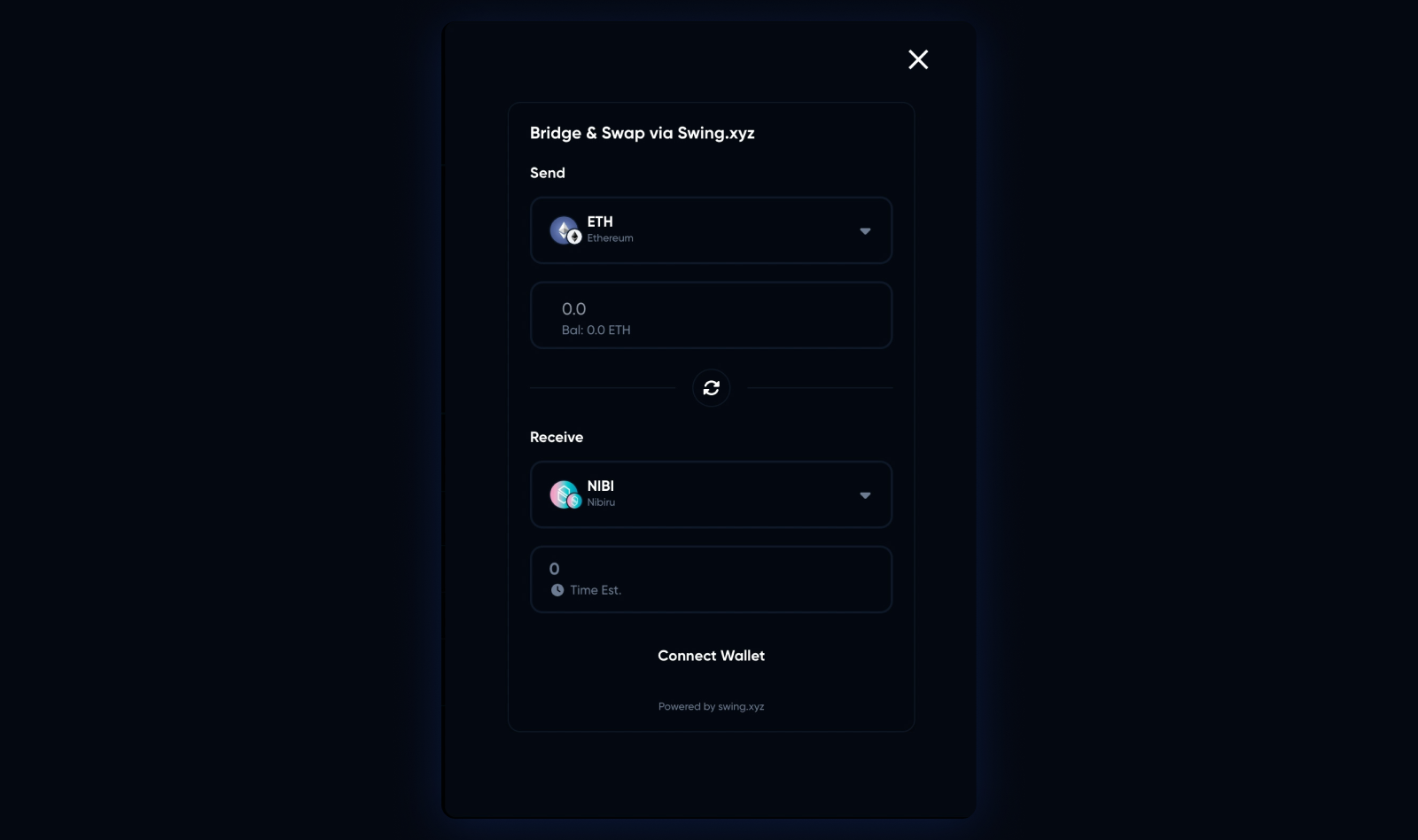
A module via Swing.xyz will appear labeled Bridge & Swap.
-
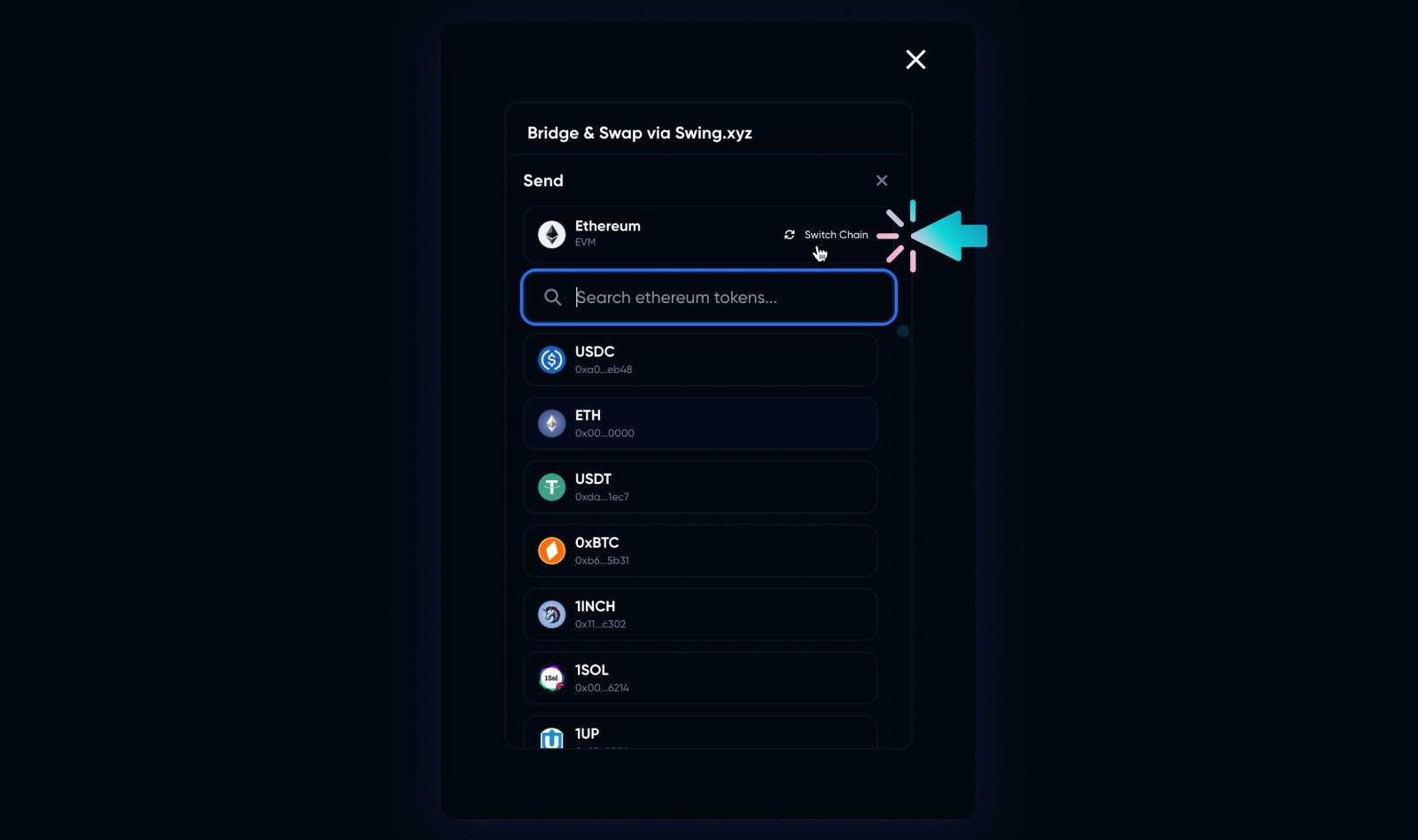
Click the drop-down to select the blockchain to bridge tokens from. For Ethereum/ERC-20-based tokens, select Ethereum. For other tokens, click Switch Chain and search through the menu.
-
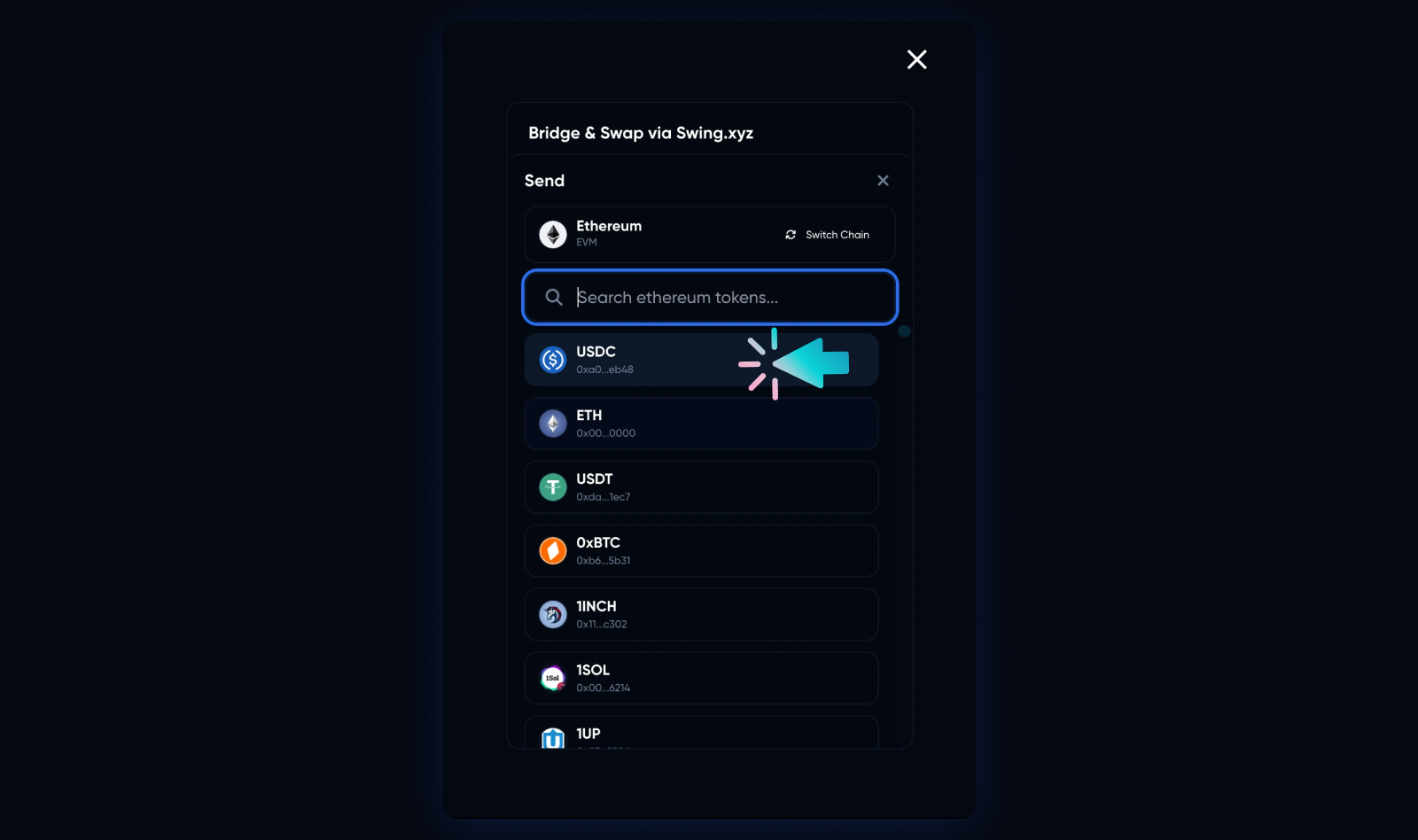
Next, select the token you want to bridge. For this example, we’ll use USDC.
-
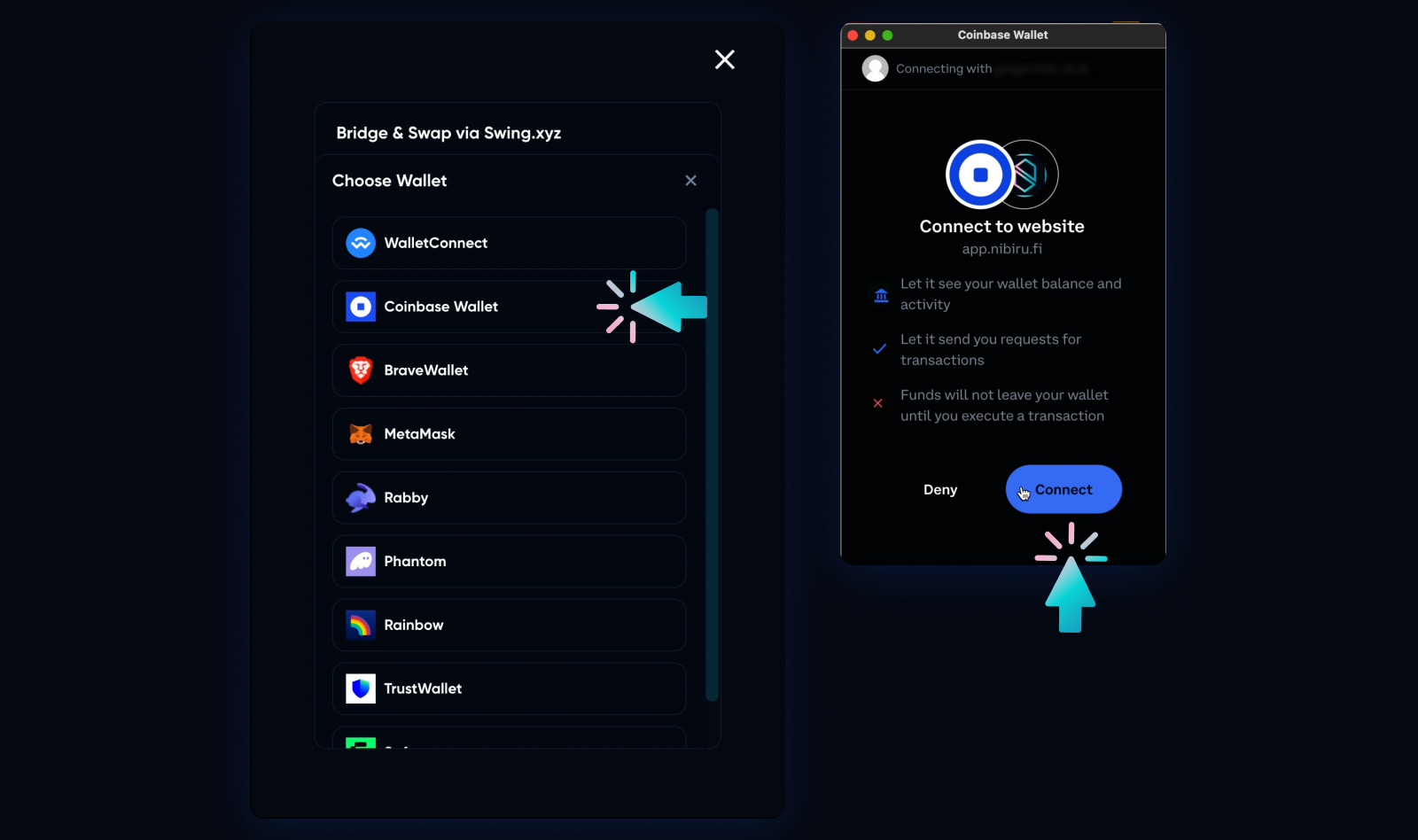
Click Connect Wallet to select the wallet from which you will send the assets. Ensure you have a compatible wallet installed (MetaMask, WalletConnect, Phantom, etc). For this example, we are using Coinbase Wallet.
-
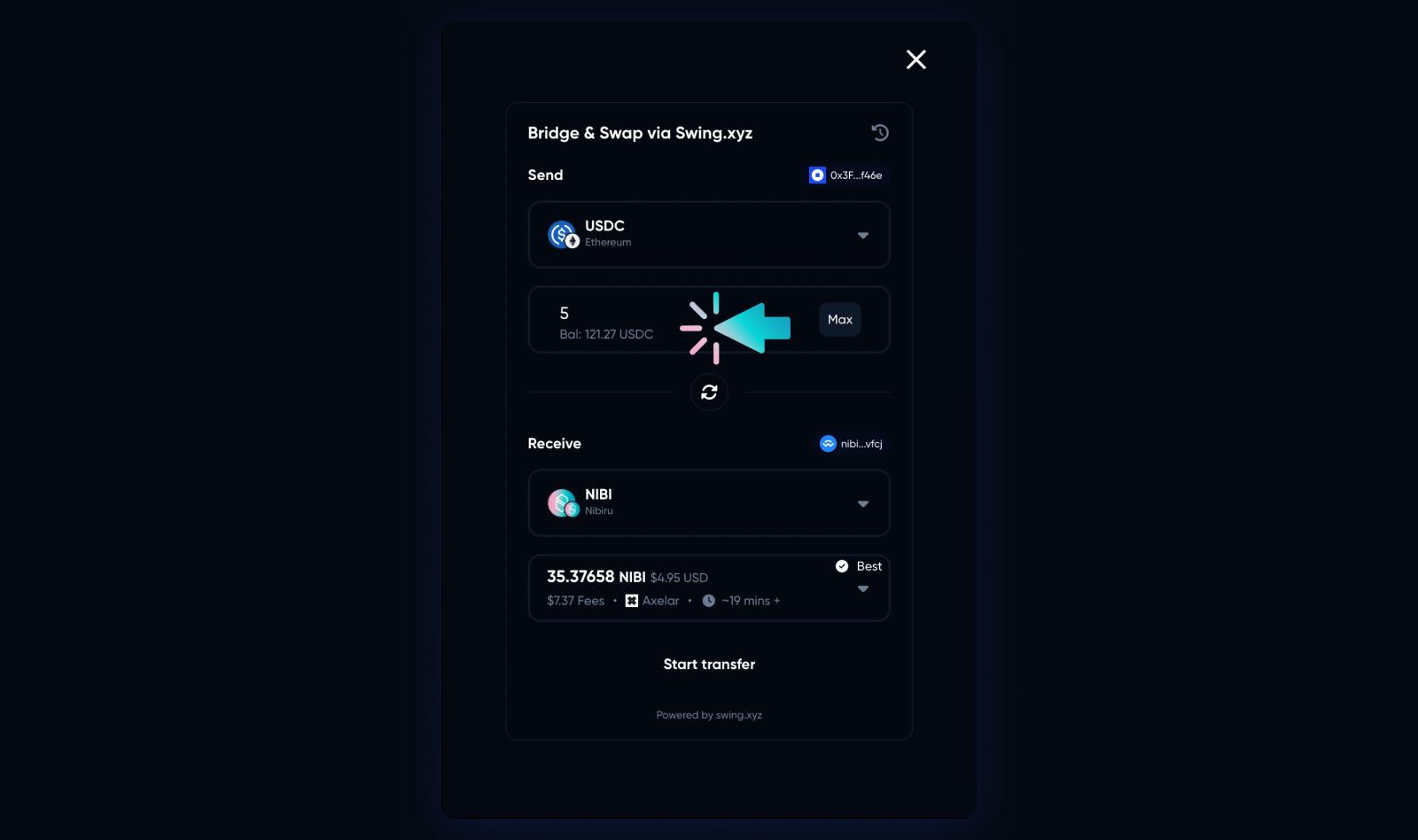
Enter the amount of tokens to send to the destination network. Here, we are bridging 5 USDC from the Ethereum network to NIBI on Nibiru.
-
Click Connect Wallet to send assets to the destination address. In this example, we are connecting to Leap Wallet via Wallet Connect.
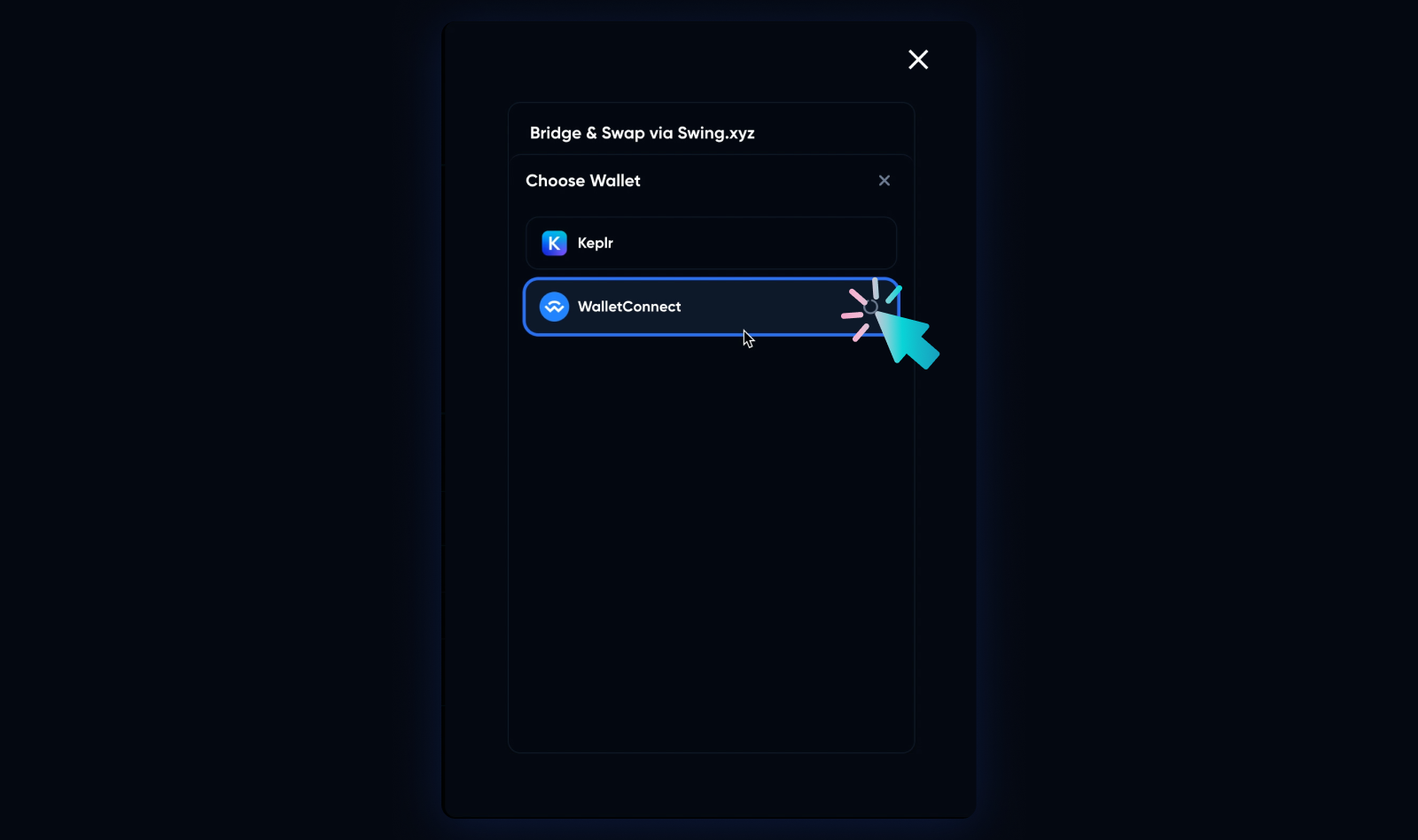
-
Use Leap Wallet’s mobile app to scan the QR code.
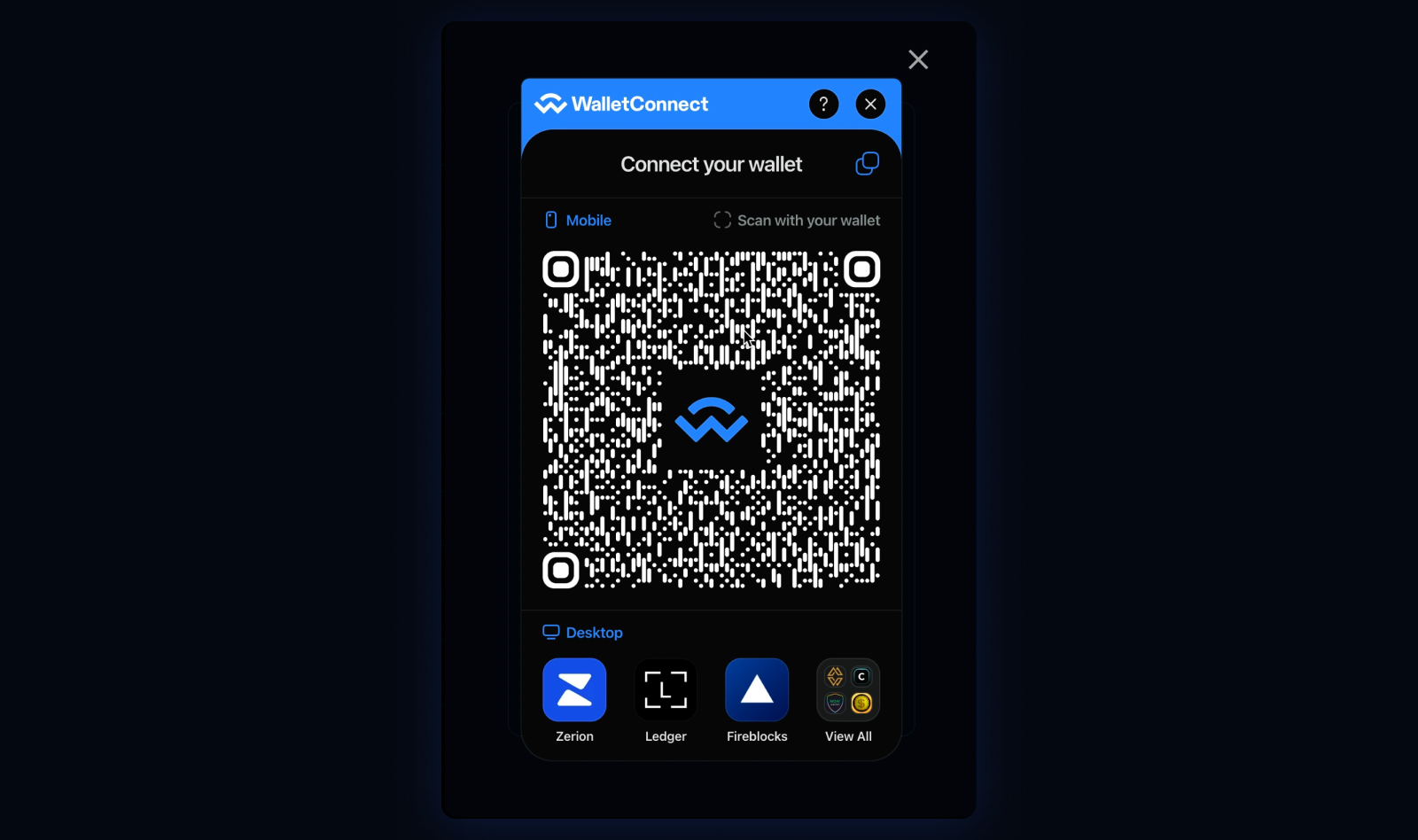
-
Click Connect via Leap’s mobile app.
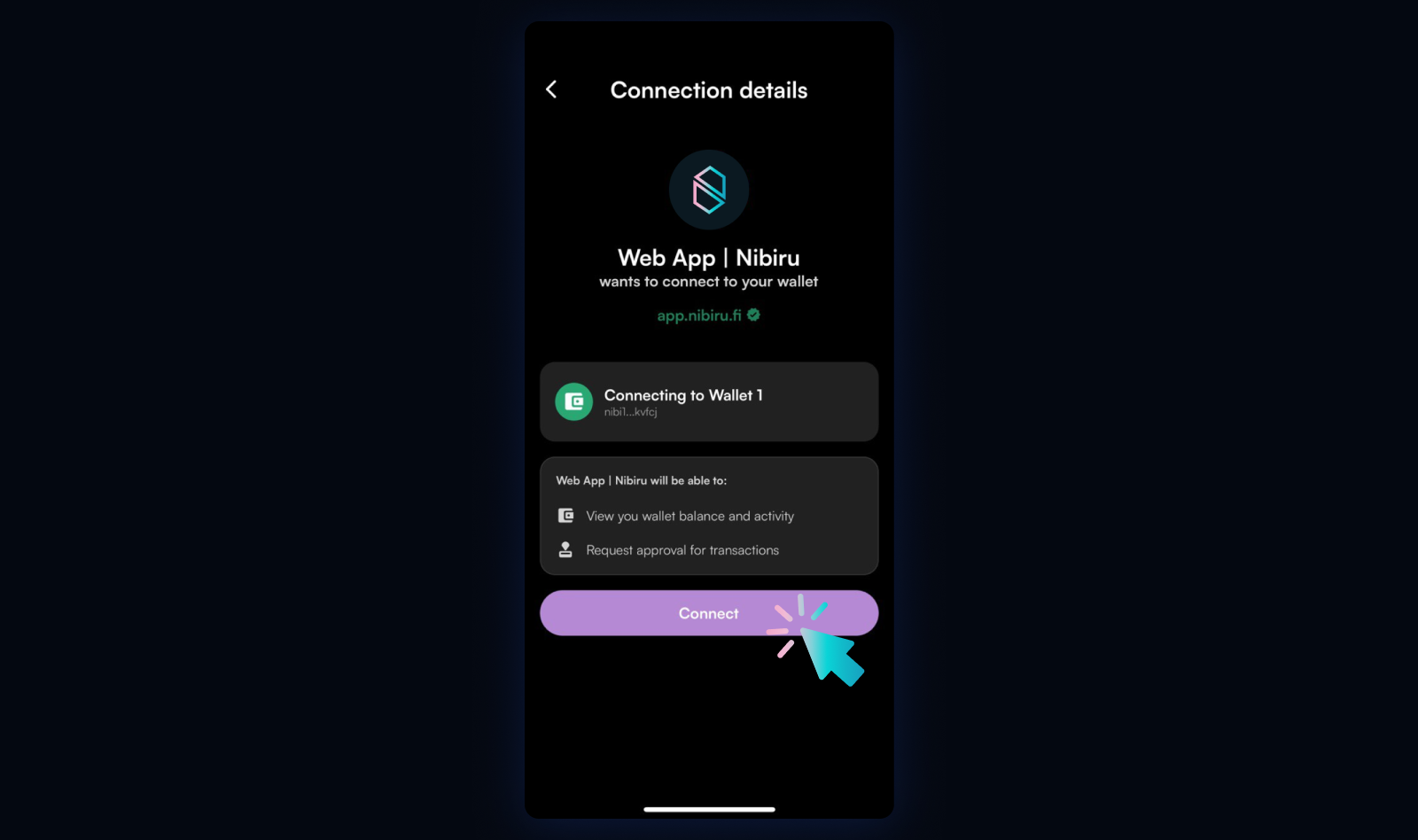
-
Click Start Transfer to initiate bridging and swapping.
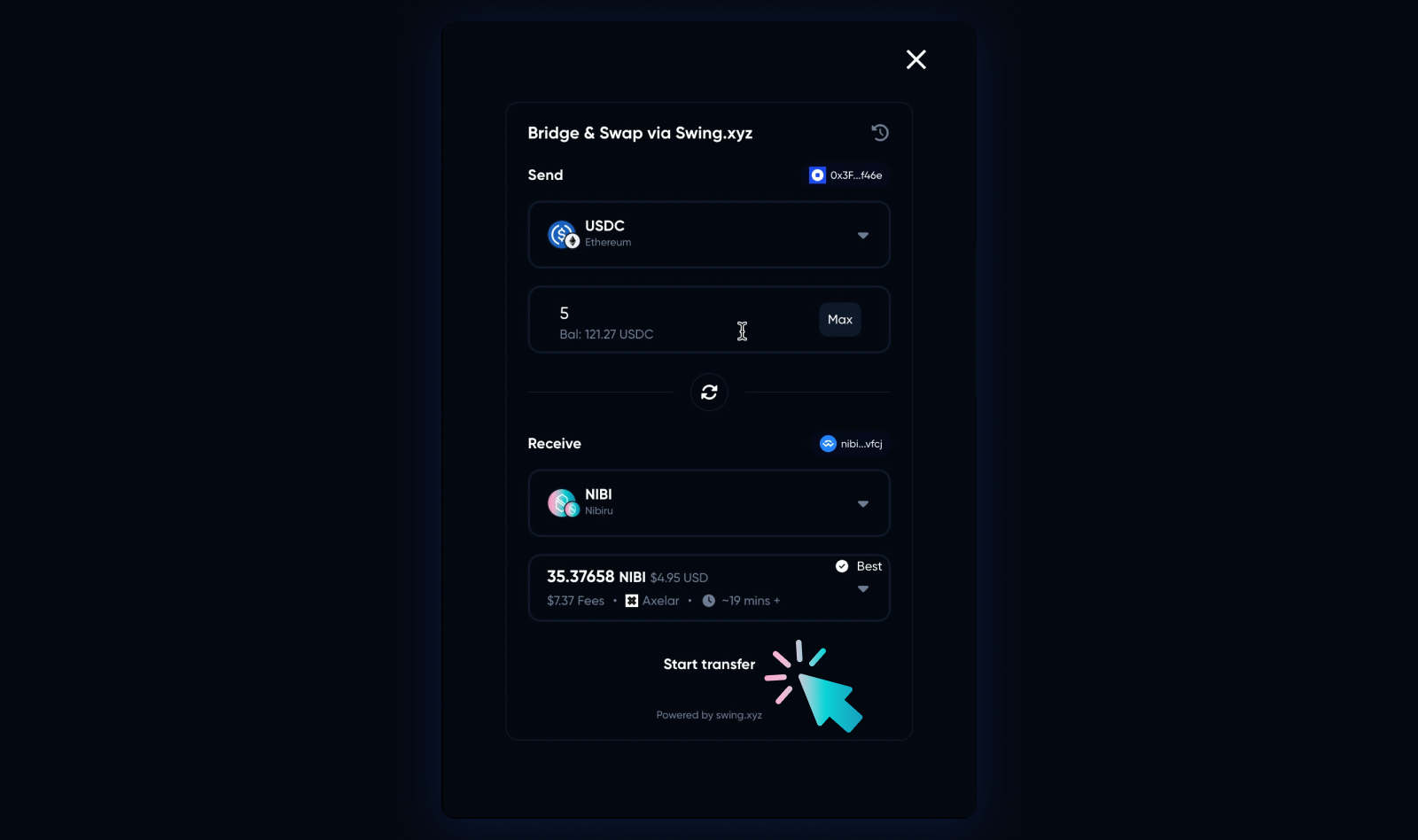
-
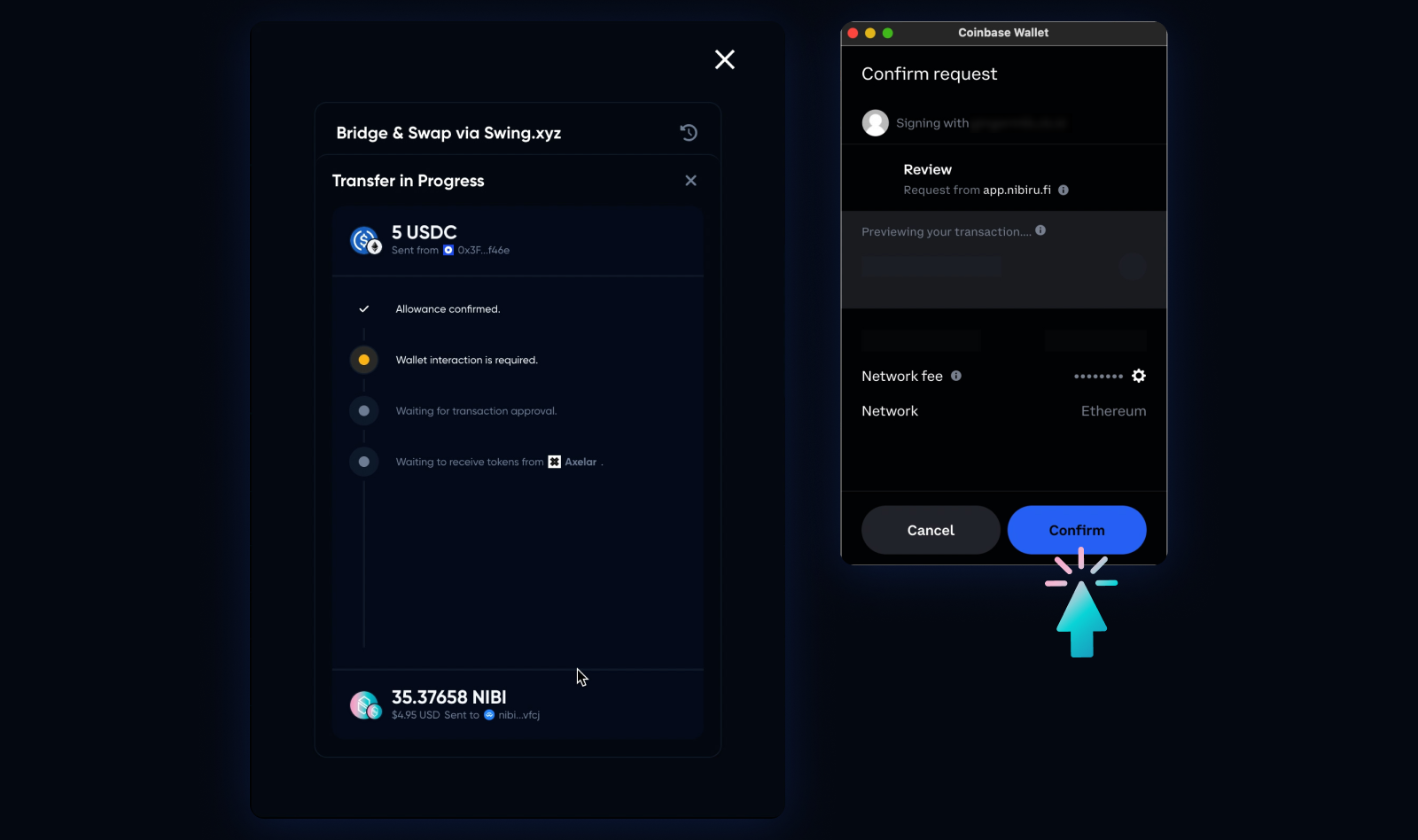
Wallet interaction is required. Click Confirm to proceed.
-
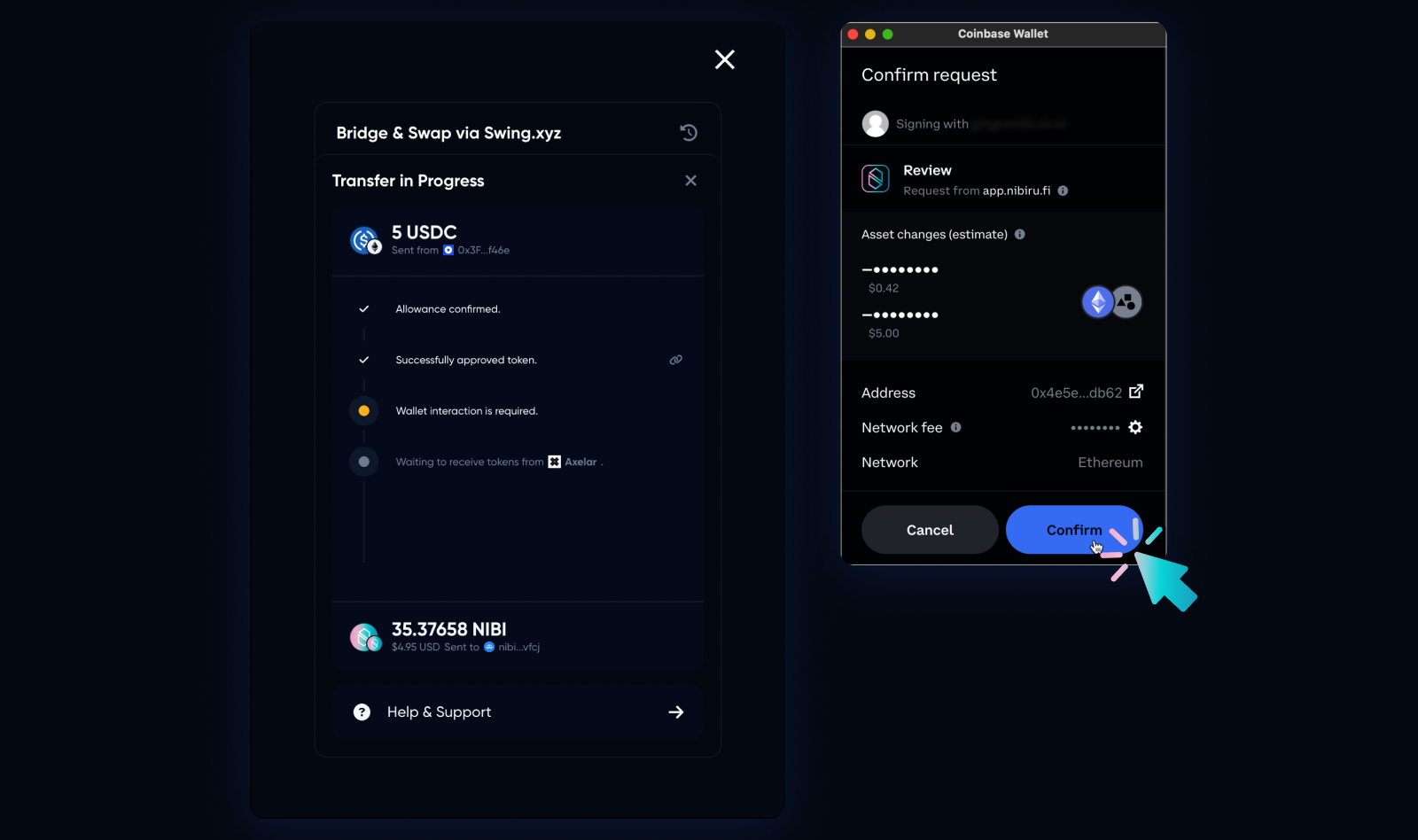
Click Confirm to approve the transaction and send via Axelar.
-
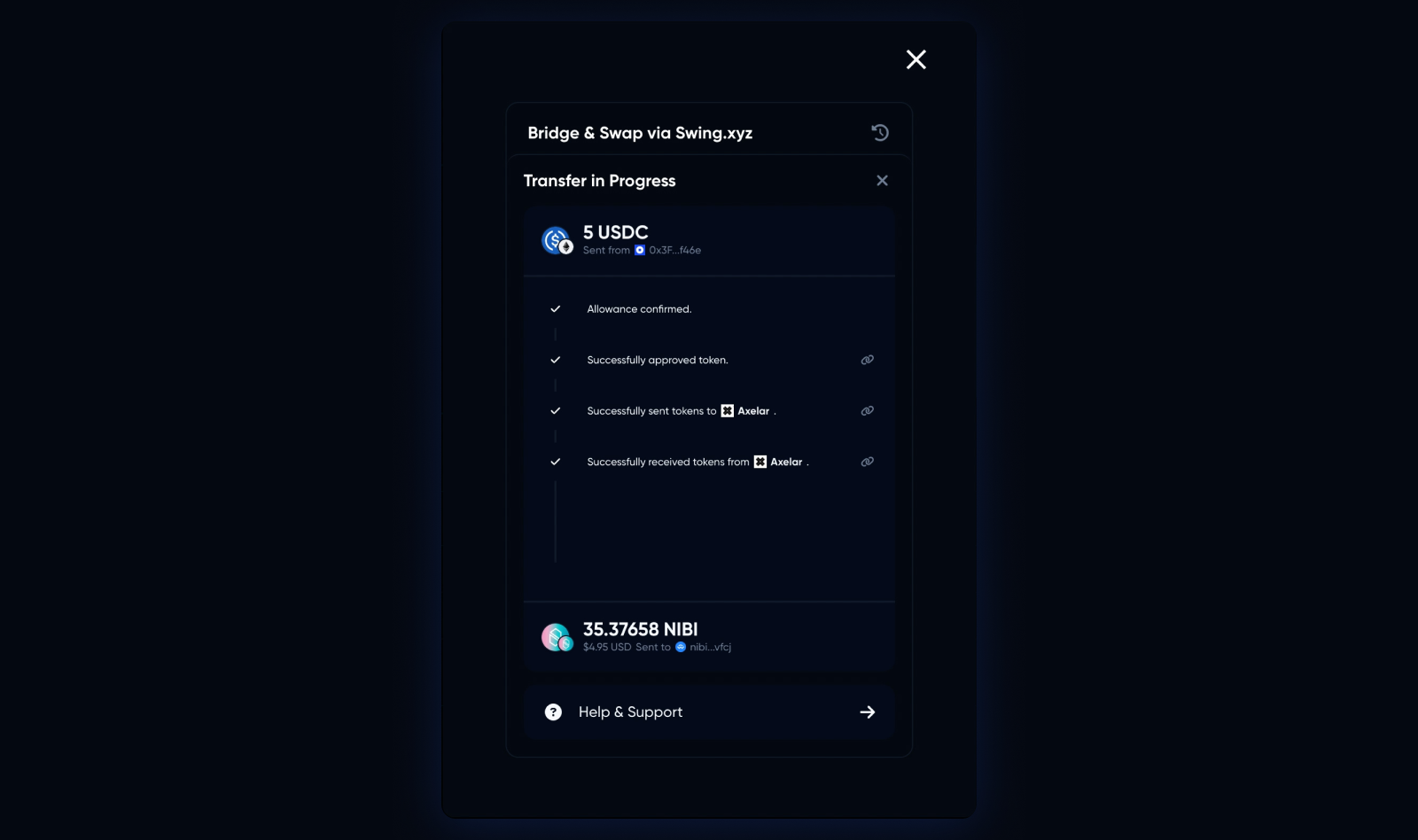
The transfer is complete when the screen shows “Successfully received token from Axelar.” You will have successfully swapped into NIBI. Keep in mind this process takes 15-20 mins. To view the transaction in the block explorer, click on the link icon next to “Successfully received token from Axelar.”
-
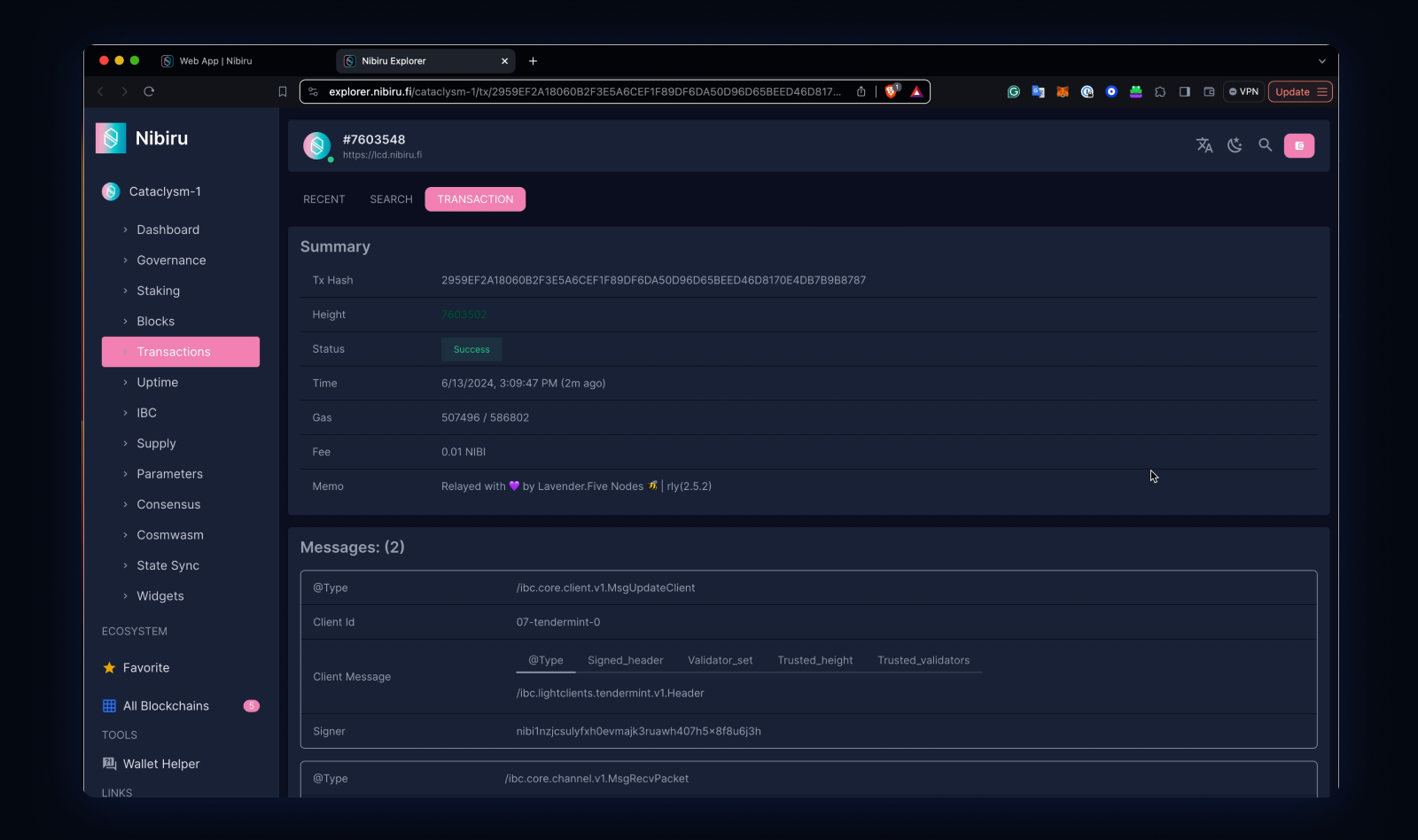
To verify the transaction in Block Explorer, check that the status of the transaction says Success.
What’s next?
Nibiru is thrilled to announce on-chain incentive programs that will enhance the utility of NIBI. Get ready for our upcoming LSD campaign and on-chain tasks, which will reward users for their participation.