#10 | Nibiru Incentivized Testnet 2
· 3 min read
Last month, we launched phase 1 of our incentivized testnet, and we're delighted to see such significant growth in network usage and active participation from our community.
Contents
- Phase 1 Recap
- Nibiru Incentivized Testnet #2
- Governance Tasks (+300)
- Smart Contract Tasks (+300)
- CosmWasm Tutorial - Deploy Contract
- CosmWasm Tutorial - Instantiate Contract
- CosmWasm Tutorial - Execute Contract
- Related Nibiru Articles
Phase 1 Recap
We wanted to take this opportunity to recap some of the highlights from the past month:
- Impressive Growth: The first NIT saw remarkable traction and participation from new users. Over 24,000 users and 12,000 validators joined the network, contributing to its growth and success. In addition, the Discord community grew from around 17,000 members to over 76,000 members, showcasing the enthusiasm and excitement around the project.
- Web App Analytics: To better understand user behavior and improve the platform, the team started logging data on user actions within the web application. This data will be useful in identifying areas for improvement and optimizing the user experience.
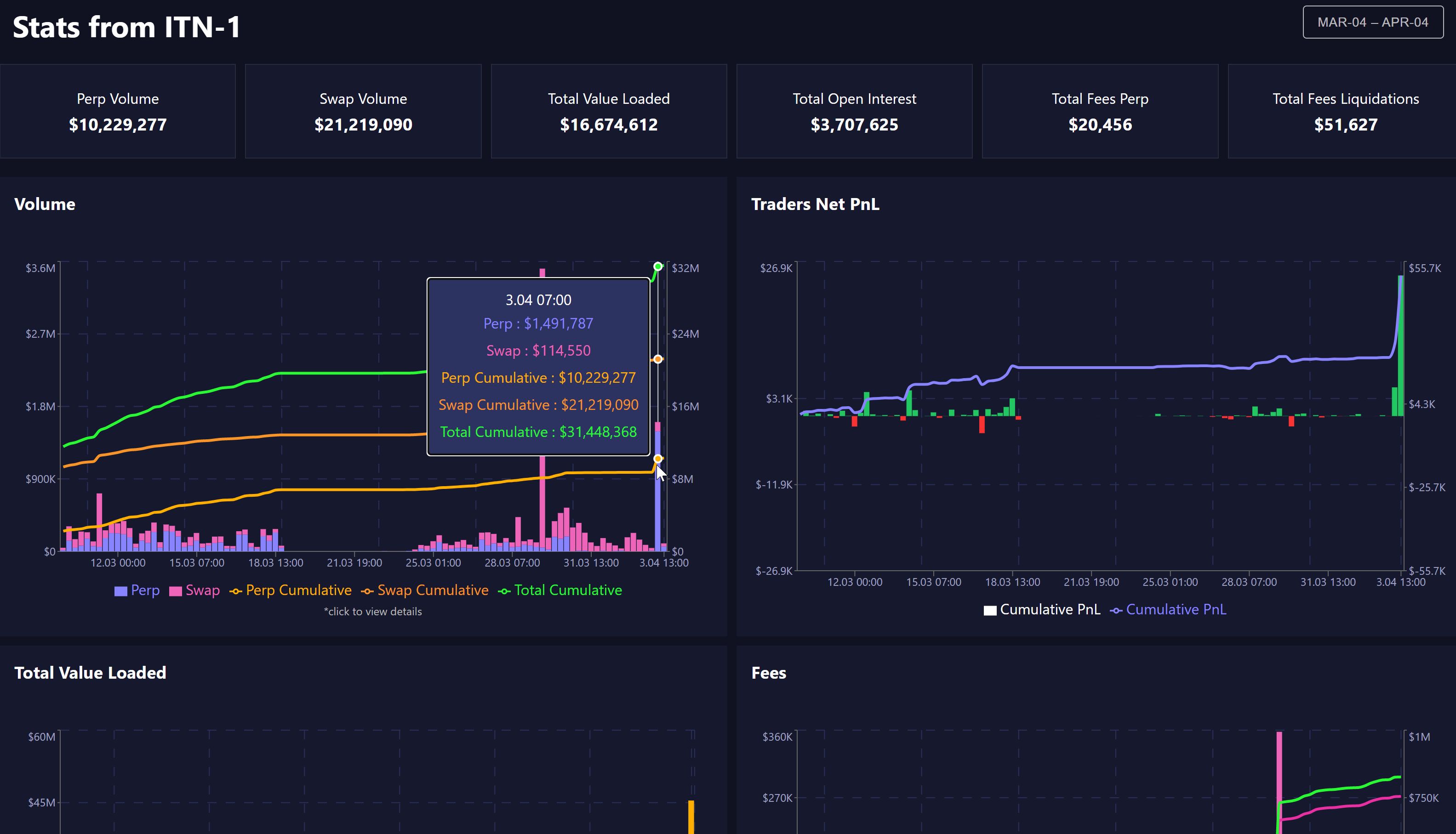
- Stats Dashboard Launch: The first version of the stats page is now live, allowing users to access valuable information about the network, including perp volume, swap volume, P&L and other key metrics. This page will help users stay informed and engaged with the network, while also providing valuable insights to the team.
Nibiru Incentivized Testnet #2
- Begins: April 4, 2023
- Ends: At the start of NIT #3 This phase of the incentivized testnet is centered around two things: (1) Getting users of Nibiru familiar with smart contract deployment and transaction executions, and (2) performing live tests on our infrastructure by experimenting with larger validator set sizes. Through this, we should gain a strong understanding of some of the limitations around faster block times and finality with a truly decentralized network.
Smart Contract Tasks (+4000)
- Instantiate a smart contract on Nibiru.
- Successfully broadcast an
Execute Contracttransaction. The Nibiru team will upload tutorials to showcase an easy way to complete all of these tasks.
The Nibiru team will upload tutorials to showcase an easy way to complete all of these tasks.
CosmWasm Tutorial - Deploy Contract
-
Open the terminal and install the
nibidbinary. This holds the Nibiru CLI application. -
Point the config of the
nibidbinary to the incentivized testnet. -
Download a smart contract's
.wasmbinary from the NibiruChain/cw-nibiru repo, or compile your own if you know how to do so.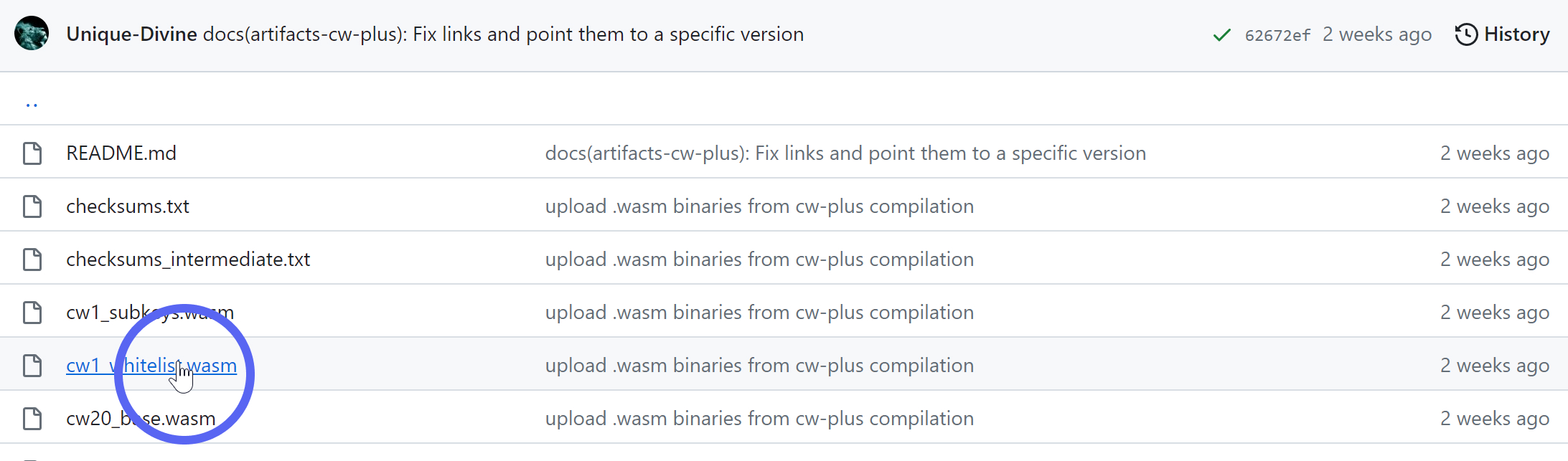
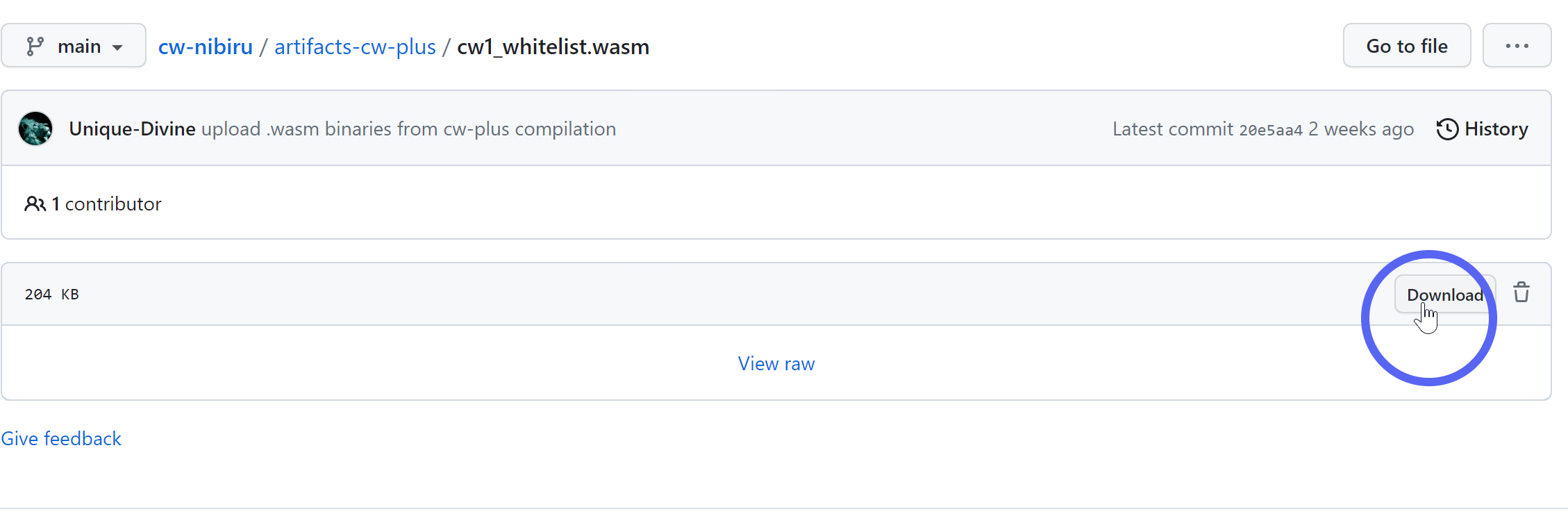
4. After saving the my-contract.wasm file, deploy the contract as follows.
KEY_NAME="..."                   # ← Replace with your key name
CONTRACT_WASM="my-contract.wasm" # ← Replace with the contract name
NIBI=000000unibi
nibid tx wasm store $CONTRACT_WASM --from $KEY_NAME --gas=2000000 --fees=2$NIBI | jq > wasm_store.json
This saves the output in a file called wasm_store.json. You should take note of the code_id for this contract because you'll need it for instantiation. If you saved the file as described above, you can retrieve the code_id with
cat wasm_store.json | jq -r '.logs[] | .events[]'
The output of this will look something like:
{
  "type": "message",
  "attributes": [
    {
      "key": "action",
      "value": "/cosmwasm.wasm.v1.MsgStoreCode"
    },
    {
      "key": "module",
      "value": "wasm"
    },
    {
      "key": "sender",
      "value": "nibi1zaavvzxez0elundtn32qnk9lkm8kmcsz44g7xl"
    }
  ]
}
{
  "type": "store_code",
  "attributes": [
    {
      "key": "code_checksum",
      "value": "a1e2aa264ea3e9d6f1d59d10ded2c6d72ba741c5d8e6999a41ec3f2e6b4c7741"
    },
    {
      "key": "code_id",
      "value": "5"
    }
  ]
}
CosmWasm Tutorial - Instantiate Contract
There's a CW20 contract (cw20_base.wasm) currently stored on the chain with code_id 2257. This is a simple contract that allows you to create new fungible tokens that fit the CW20 spec.
-
Set environment variables
-
Save the following text as a JSON file called "inst.json". You'll need to replace
YOUR_ADDRESSwith your address.
-
Create a new instance of the CW20 smart contract using the instantiate command.
The top of the output file will have your transaction hash, which should look like this:
It also includes the contract address for the CosmWasm contract you instantiated.
Example: Here's the output for the example transaction above.
-
Set the contract address in an environment variable. Note that you'll need to instantiate your own contract with your address as the minter in order to follow this tutorial, so your contract address will also be different.
This will be useful for completing the "execute contract" task. You can do this manually (above) or programattically using
jq(bewlow) in the same manner as before.
CosmWasm Tutorial - Execute Contract
Finally, we'll execute the contract to send some CW20 tokens.
1 | Set envrionment variables by running these commands in the terminal:
KEY_NAME="..."
CODE_ID="2257"
CONTRACT="nibi13j2cvytu66pxjftv5eqlylcmw0xssyzfccd6t5hrhfx04y4n40tswcmuql"
2 | Save the following JSON as cw_transfer.json. This will be the arguments for the execute message.
{
  "transfer": {
    "recipient": "YOUR ADDRESS HERE",
    "amount": "50"
  }
}
The format for this comes from the CW20ExecuteMsg of the contract:
pub enum Cw20ExecuteMsg {
    /// Transfer is a base message to move tokens to another account without triggering actions
    Transfer { recipient: String, amount: Uint128 },
    // ...
}
3 | Broadcast the wasm execute transaction.
nibid tx wasm execute $CONTRACT "$(cat cw_transfer.json)" --from $KEY_NAME --gas 8000000 --fees=200000unibi -y > tx_exec_resp.json
This saves the transaction response in a file called tx_exec_resp.json. You can grab the transaction hash from the txhash field at the top.
// Example
{
  "height": "1821815",
  "txhash": "1538282E88C05E8A1CB168D830B230D228B28F68248B65E069B836357C38ACF9",
  "codespace": "",
  "code": 0
  // ...
}
To read the events, you can (1) inspect the response file directly, but if you didn't have access to this and only had the txhash, you could query the same information:
TX_HASH="1538282E88C05E8A1CB168D830B230D228B28F68248B65E069B836357C38ACF9"
nibid q tx $TX_HASH | jq -r '.logs[] | .events[]'
{
  "type": "execute",
  "attributes": [
    {
      "key": "_contract_address",
      "value": "nibi13j2cvytu66pxjftv5eqlylcmw0xssyzfccd6t5hrhfx04y4n40tswcmuql"
    }
  ]
}
{
  "type": "message",
  "attributes": [
    {
      "key": "action",
      "value": "/cosmwasm.wasm.v1.MsgExecuteContract"
    },
    {
      "key": "module",
      "value": "wasm"
    },
    {
      "key": "sender",
      "value": "nibi10gm4kys9yyrlqpvj05vqvjwvje87gln8nsm8wa"
    }
  ]
}
{
  "type": "wasm",
  "attributes": [
    {
      "key": "_contract_address",
      "value": "nibi13j2cvytu66pxjftv5eqlylcmw0xssyzfccd6t5hrhfx04y4n40tswcmuql"
    },
    {
      "key": "action",
      "value": "transfer"
    },
    {
      "key": "from",
      "value": "nibi10gm4kys9yyrlqpvj05vqvjwvje87gln8nsm8wa"
    },
    {
      "key": "to",
      "value": "nibi10gm4kys9yyrlqpvj05vqvjwvje87gln8nsm8wa"
    },
    {
      "key": "amount",
      "value": "50"
    }
  ]
}
🎉 If you made it this far, you've sucessfully completed the smart contract tasks for the 2nd phase of Nibiru Incentivized Testnet.
🔮 Docs | 👾 Discord | 🐦 Twitter | 🔥 Web App
⛓️ ️Explorer | 🌴 Link Tree | 👨💻 Code | 🎥 YouTube